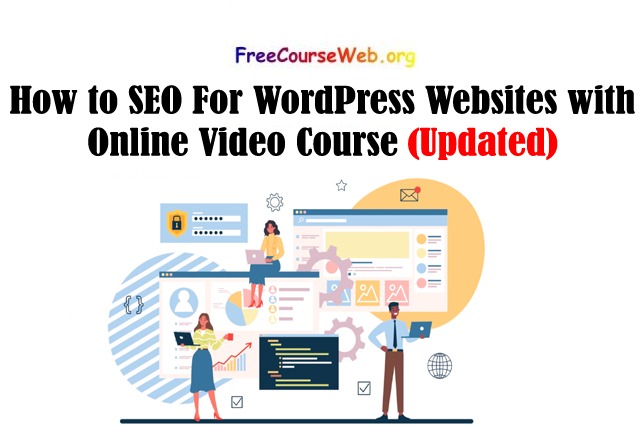
How to SEO For WordPress Websites: SEO means Search Engine Optimization. It helps your website appear higher in search engine results like Google.
If you have a WordPress website, you can use simple SEO methods to improve its visibility. Good SEO can help more people find your website and visit your pages.
This topic explains the basic SEO methods that you can use on a WordPress website. You can learn how to improve your website content, use keywords, make your pages easy to understand, and help search engines find your website.
How to Increase Website Traffic using SEO
Basic SEO Introduction SEO Checklist
How to SEO For WordPress Websites
Search Engine Optimization (SEO) for WordPress is a useful way to bring more people to your website or blog.
SEO helps your website appear better in search engine results. When your website has good SEO, people can find your content more easily when they search on Google or other search engines.
This course explains SEO in a simple and easy way. It brings important SEO information together so that beginners can learn it without much difficulty.
You will learn different methods to improve your WordPress website. These methods can help search engines understand your website and its content better.
The course also explains how to make your website more search-engine friendly. You can learn about website content, keywords, pages, and other basic SEO methods.
Using the right SEO methods can help your website get more visitors over time. It can also help your blog or website grow.
1. Use the Right Keywords
Keywords are the words that people type into Google when they want to find something.
Choose keywords that are related to your website and your topic. Add these keywords naturally in your title, headings, and article.
Do not use one keyword again and again. This can make your content look unnatural.
Always write your content in a simple and useful way for people first. Search engines should come second.
2. Write Useful Content
Good content is very important for SEO. Your content should give useful and clear information to your readers.
Try to answer the reader’s questions in a simple way. You can also add easy examples when needed.
Use short sentences and simple words so that people can read your content easily.
You should also check your old articles from time to time. If the information has changed, update the old content with new and correct information.
3. Create a Good Page Title
A page title tells people and search engines what your page is about.
Write a title that is clear, short, and related to your topic. The title should tell readers what they can expect to learn from your page.
Try to use your main keyword in the title when it fits naturally.
A good title can also make people more interested in clicking your page in search results.
4. Use Proper Headings
Use headings to divide your article into different sections.
Use one main heading for the page and use smaller headings for other sections. This makes your content easier to read.
Good headings also help search engines understand the structure of your content.
5. Add a Simple URL
Your page URL should be short and easy to understand.
For example, a URL related to an article about WordPress SEO should clearly show the topic.
Avoid using very long URLs with unnecessary words and numbers.
6. Optimize Your Images
Images can make your website more useful and attractive. But large images can make your website slow.
Before uploading an image, reduce its size when possible. Use a suitable file format and add useful alt text to explain the image.
This can also help search engines understand your images.
7. Make Your Website Fast
Website speed is important for visitors. People do not like waiting for a slow website.
Use properly sized images, remove unnecessary plugins, and use a good hosting service.
A faster website can give visitors a better experience.
8. Make Your Website Mobile Friendly
Many people use mobile phones to visit websites. Your WordPress website should look good and work properly on small screens.
Make sure text is easy to read, buttons are easy to click, and pages do not have unnecessary elements.
9. Use Internal Links
Internal links connect one page of your website to another page on the same website.
For example, if you write an article about WordPress SEO, you can link to another useful article about keywords.
Internal links help readers find more information and also help search engines discover your pages.
10. Get Good Backlinks
A backlink is a link from another website to your website.
Good backlinks can help your website build trust and authority. Try to create useful content that other websites may want to mention or link to.
Avoid buying low-quality or spammy backlinks because they may harm your website.
11. Use an SEO Plugin
WordPress users can use SEO plugins to manage many basic SEO settings.
An SEO plugin can help with things such as page titles, descriptions, XML sitemaps, and other SEO settings.
Choose a trusted plugin and learn how to use its basic features correctly.
12. Create an XML Sitemap
An XML sitemap helps search engines discover important pages on your website.
Many WordPress SEO tools can create a sitemap automatically. After creating it, you can submit it through the search engine’s webmaster tools.
13. Check Your Website for Problems
Check your website regularly for broken links, missing pages, slow-loading pages, and other problems.
Fixing these problems can make your website better for both visitors and search engines.
14. Be Patient
SEO does not normally give results overnight. It can take time for search engines to understand your website and for your pages to gain visibility.
Keep creating useful content and improve your website regularly.
How to Create WordPress Website without Coding
How to Build An eCommerce Website With WordPress
What you’ll learn
- The basic SEO methods for WordPress websites.
- About useful SEO tools that can help website owners.
- How to choose and use the right keywords for your website.
- Simple ways to improve your website for search engines.
- How to help your website get better search rankings.
- Learn how to bring more visitors to your website through search engines.
Are there any course requirements or conditions?
- You only need the interest and desire to learn SEO.
- Basic knowledge of using a computer and the internet is helpful.
- No advanced SEO knowledge is required.
- Beginners can also start this course and learn step by step.
Who this course is for:
- Anyone who has basic knowledge of WordPress.
- Beginners who want to learn SEO for WordPress websites.
- Website owners who want to get more visitors from search engines.
- Bloggers who want to improve their website ranking.
Disclaimer: If the link given in this post is from a free tutorial. Which is taken from the website of udemy.com. If it violates any policy, so please contact. After that, we will remove the link.